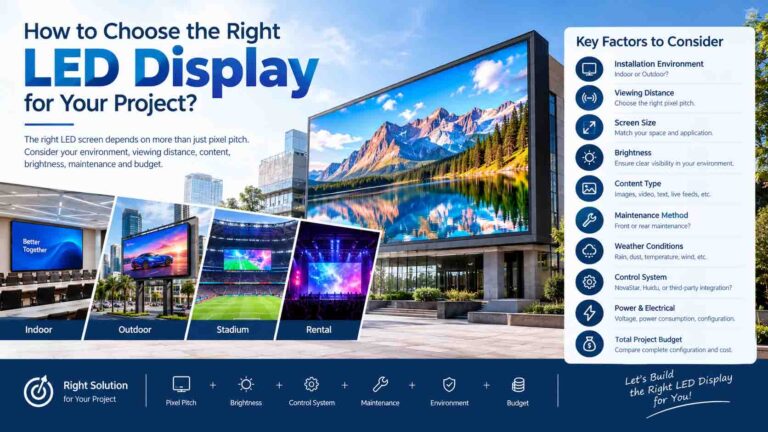
When buying an LED display, technical specifications are important—but they don’t tell the whole story.
Customers also want to know:
Does the screen look bright? Is the color accurate? Is the image smooth? Does it look good on camera?
Before placing an order, here are 7 things you should check.
1. Brightness
Brightness determines how clearly the content can be seen.
For indoor LED displays, extremely high brightness is usually unnecessary.
For outdoor LED displays, higher brightness is important because the screen may be exposed to direct sunlight.
However, the right brightness depends on the actual installation environment.
Too low → difficult to see during the day.
Too high → unnecessary power consumption and light pollution.
2. Color and Image Quality
A good LED display should provide:
- Consistent colors
- Natural skin tones
- Clear images
- Good contrast
- Smooth gradients
When evaluating a screen, don’t only look at colorful advertising content.
Ask the supplier to show:
Red / Green / Blue / White / Black / Gray-scale test images.
These tests can help reveal color uniformity and display performance.
3. Brightness and Color Uniformity
Look carefully at the entire screen.
Is the brightness consistent from left to right?
Are there darker or brighter areas?
Are the colors consistent between different modules?
Good module calibration and quality control help create a more uniform image.
This is particularly important for large LED displays, where even small differences can become noticeable.
4. Refresh Rate
Refresh rate is especially important when the LED display will be photographed or recorded by cameras.
A higher refresh rate can help reduce:
- Flickering
- Black lines
- Rolling bars
- Unstable images in videos
For applications such as:
- Stadiums
- Concerts
- TV studios
- Live events
- Advertising screens
you should pay particular attention to refresh rate and camera performance.
5. Viewing Angle
An LED display should remain clearly visible from different viewing positions.
Check the screen from:
Front → Side → Wider viewing angles
This is especially important for shopping malls, stadiums, public spaces, and large advertising screens where viewers may not stand directly in front of the display.
6. Pixel Pitch and Viewing Distance
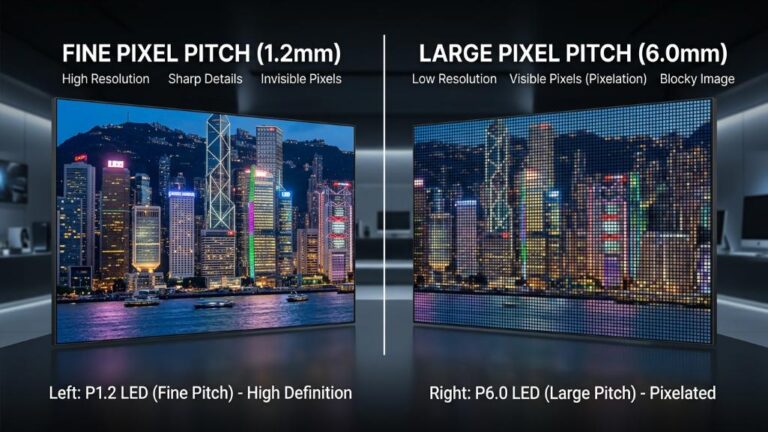
Pixel pitch has a direct relationship with image detail and viewing distance.
For example:
P1.5 / P1.8 / P2.5 → suitable for closer viewing
P3 / P3.9 / P4 → suitable for medium viewing distances
P5 / P6 / P8 / P10 → commonly used for longer viewing distances
A smaller pixel pitch does not automatically mean a better screen.
The correct choice depends on how far away your audience will be.
7. Always Ask for Real Display Videos
Before placing an order, don’t rely only on product photos or specification sheets.
Ask your supplier for real videos showing:
- Full-screen images
- White screen
- Red / Green / Blue
- Black screen
- Video playback
- Camera recording
- Aging test
- Different brightness levels
Real videos can tell you much more about actual display performance than a specification sheet alone.
What Should You Check Before Buying?
A good LED display should provide:
Clear Image + Consistent Color + Suitable Brightness + Smooth Video + High Refresh Rate + Good Viewing Angle
But remember:
The best LED display is not necessarily the one with the highest specifications. It is the one that matches your actual project.
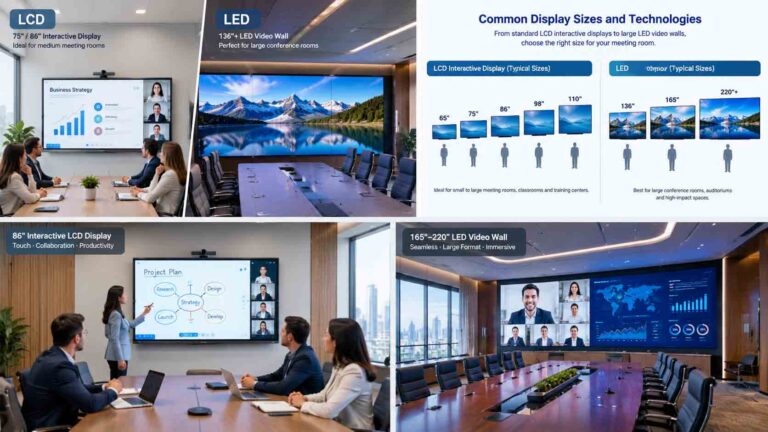
A P2.5 display may be perfect for an indoor meeting room, while a P6 or P8 display may be more appropriate for a large outdoor billboard.
Need Help Choosing the Right LED Display?
Before ordering, send your supplier:
- Screen size
- Viewing distance
- Indoor or outdoor application
- Installation location
- Main content type
- Camera/live-streaming requirements
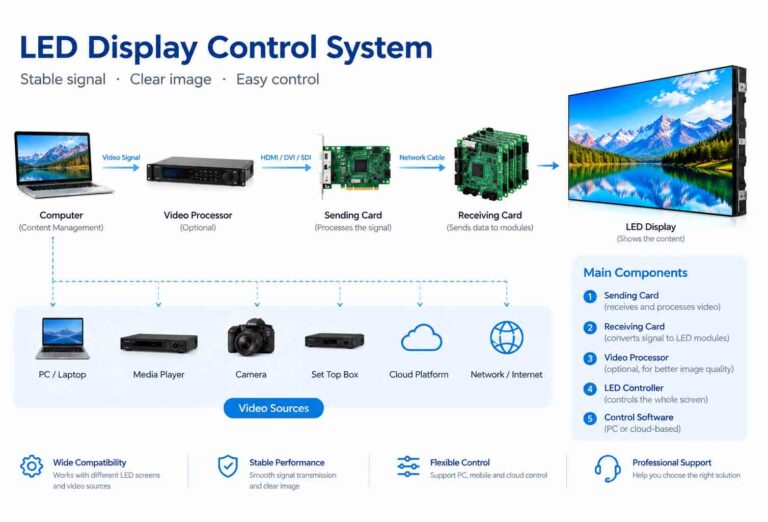
A professional supplier can then recommend the appropriate pixel pitch, brightness, refresh rate, cabinet and control system for your project.